CollectionBook

For daily & weekly finance businesses

Every rupee collected. Every customer accounted for.

CollectionBook replaces the paper ledger. Agents record payments on their phone in seconds, and owners see the cash book, arrears and reports as they happen.

  • 6 Indian languages
  • Cash + online
  • Keeps working on weak signal
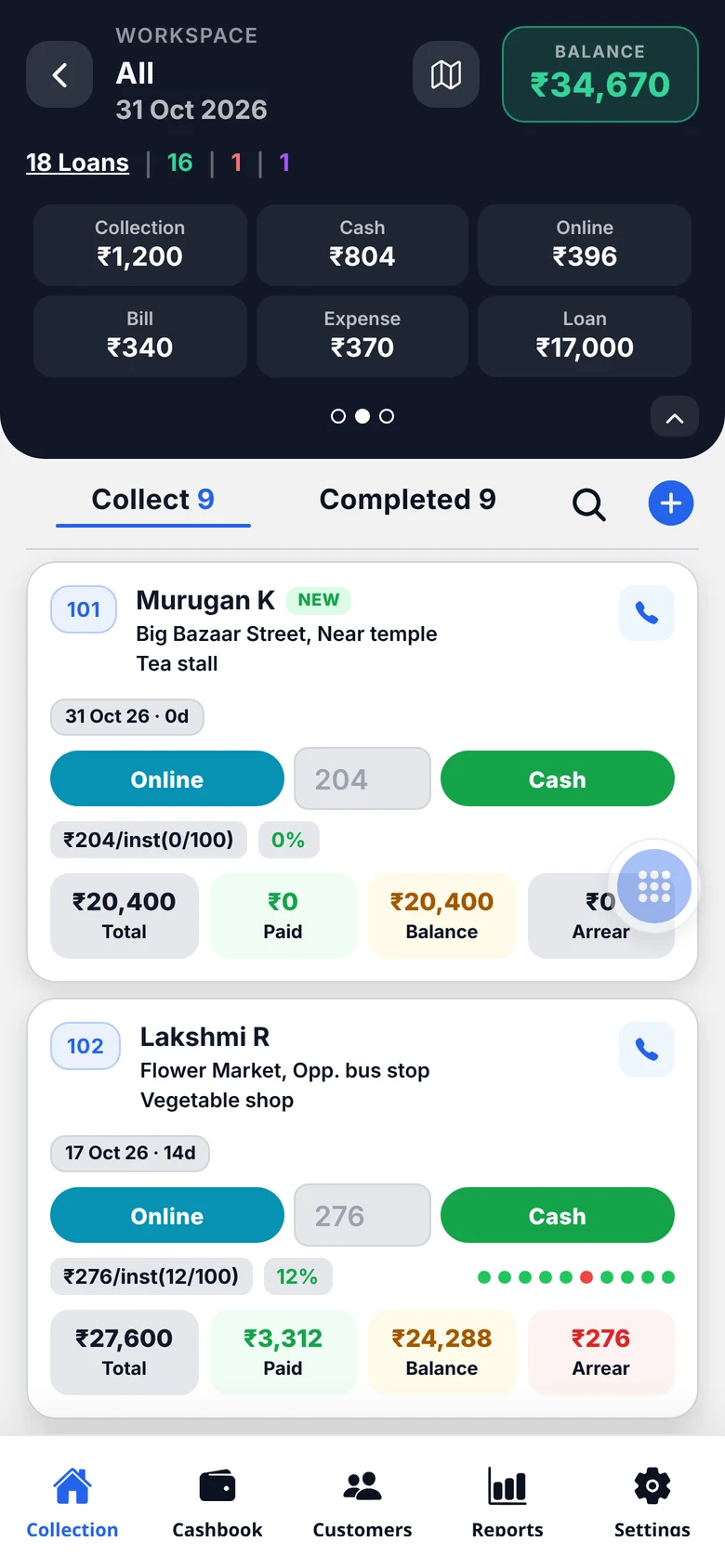
Collection workspace on the CollectionBook mobile app

Collect

Amount, tap Cash or Online — done.

Track

Paid, partial and missed days at a glance.

Balance

Opening to closing, cash and online.

Report

Daily, line-wise and expense reports.

Built for the collection round

Everything an agent needs, nothing they don’t

01

Collect in two taps

Each customer shows the instalment, balance and arrear. Type an amount — or leave it for the default instalment — and tap Cash or Online. Part-payments stay in Collect until the day is done.

  • Default instalment pre-filled
  • Partial payments kept open
  • Mark “Not paid” in one swipe
Collection workspace on the CollectionBook mobile app
02

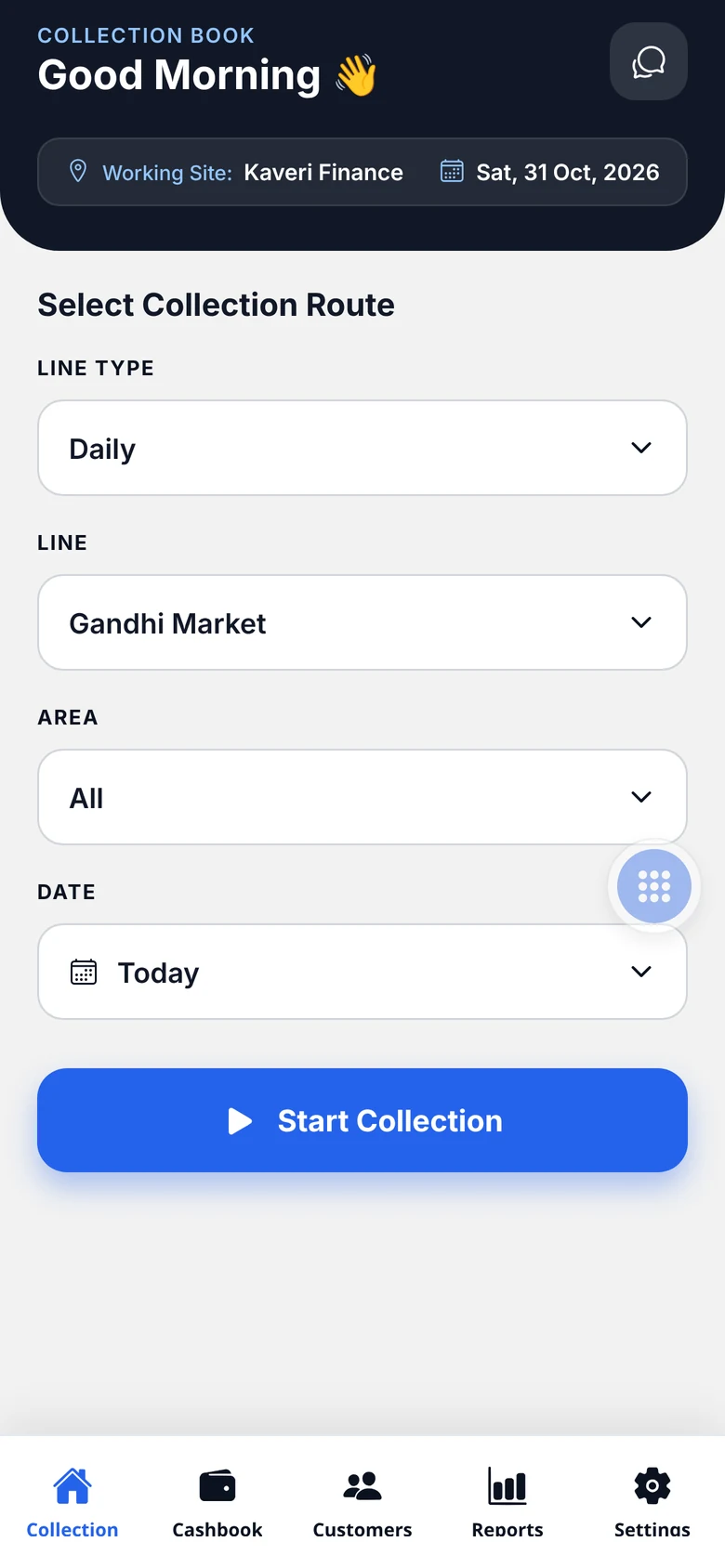
Start on the right route

Pick the line, the weekly area for the day and the date. The day’s customers load in the order you walk them.

  • Daily and weekly lines
  • Area-wise rounds
  • Back-dated entries when allowed
Choosing a collection route in the mobile app
03

See who paid — and who didn’t

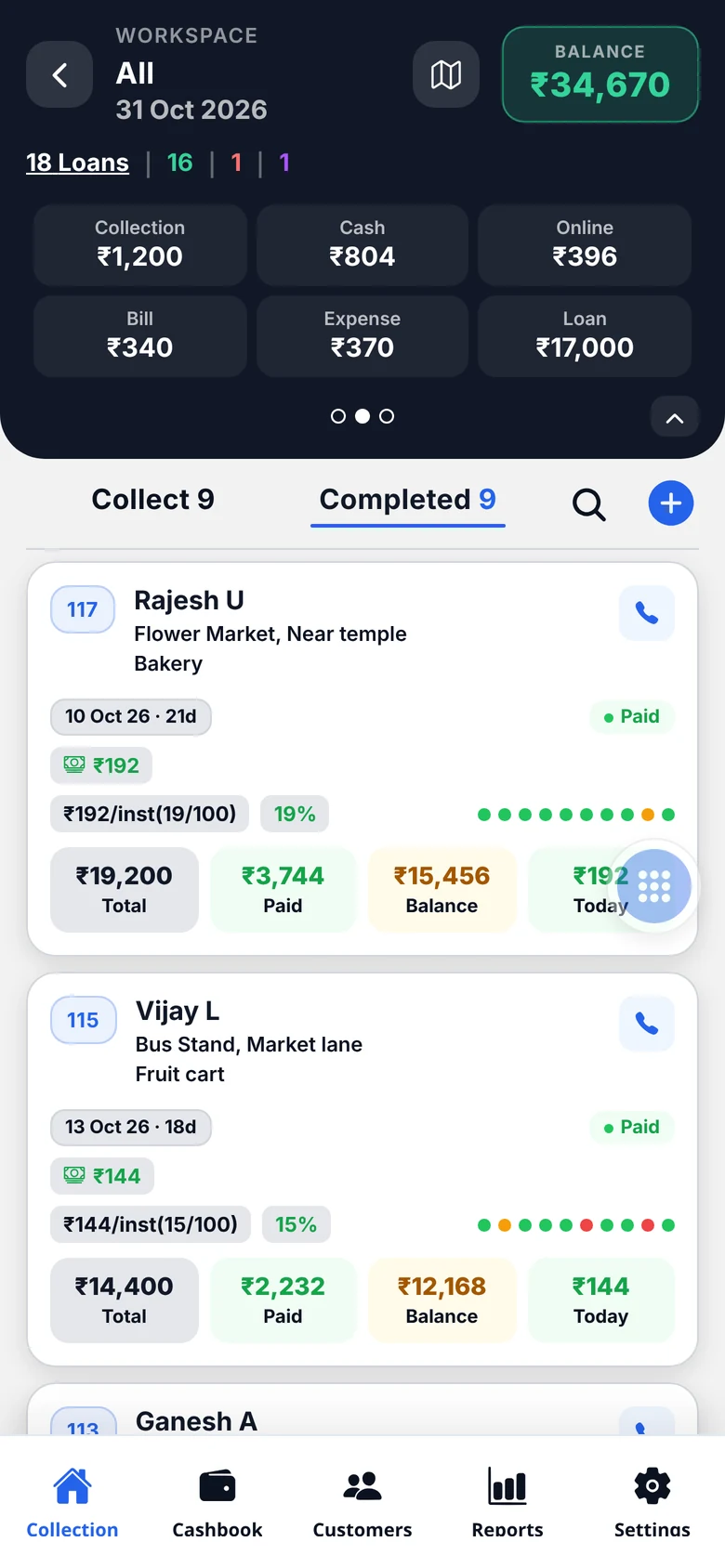
The Completed tab lists today’s payments, newest first. Coloured dots show each customer’s recent days, and overdue, bad and inactive loans are flagged automatically.

  • Green, amber and red payment dots
  • Overdue & bad-loan flags
  • Close loans with card adjustments
Completed collections with payment history dots
04

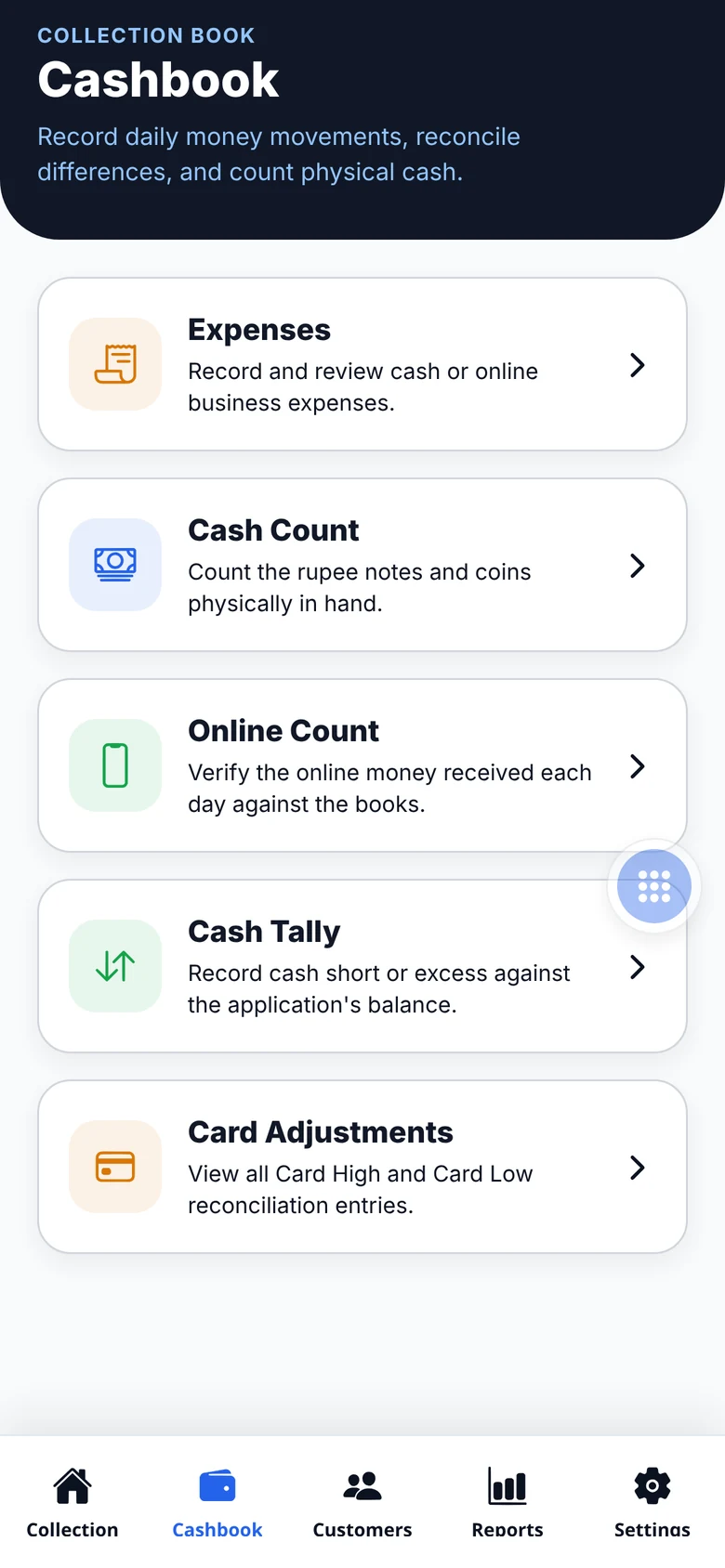
A cash book that balances itself

Opening balance, collections, bills, expenses and new loans roll into the closing balance — split by cash and online. Count notes, tally the difference and reconcile cards.

  • Cash & online counts
  • Cash tally (short / excess)
  • Card High / Low adjustments
Cashbook screen in the mobile app
05

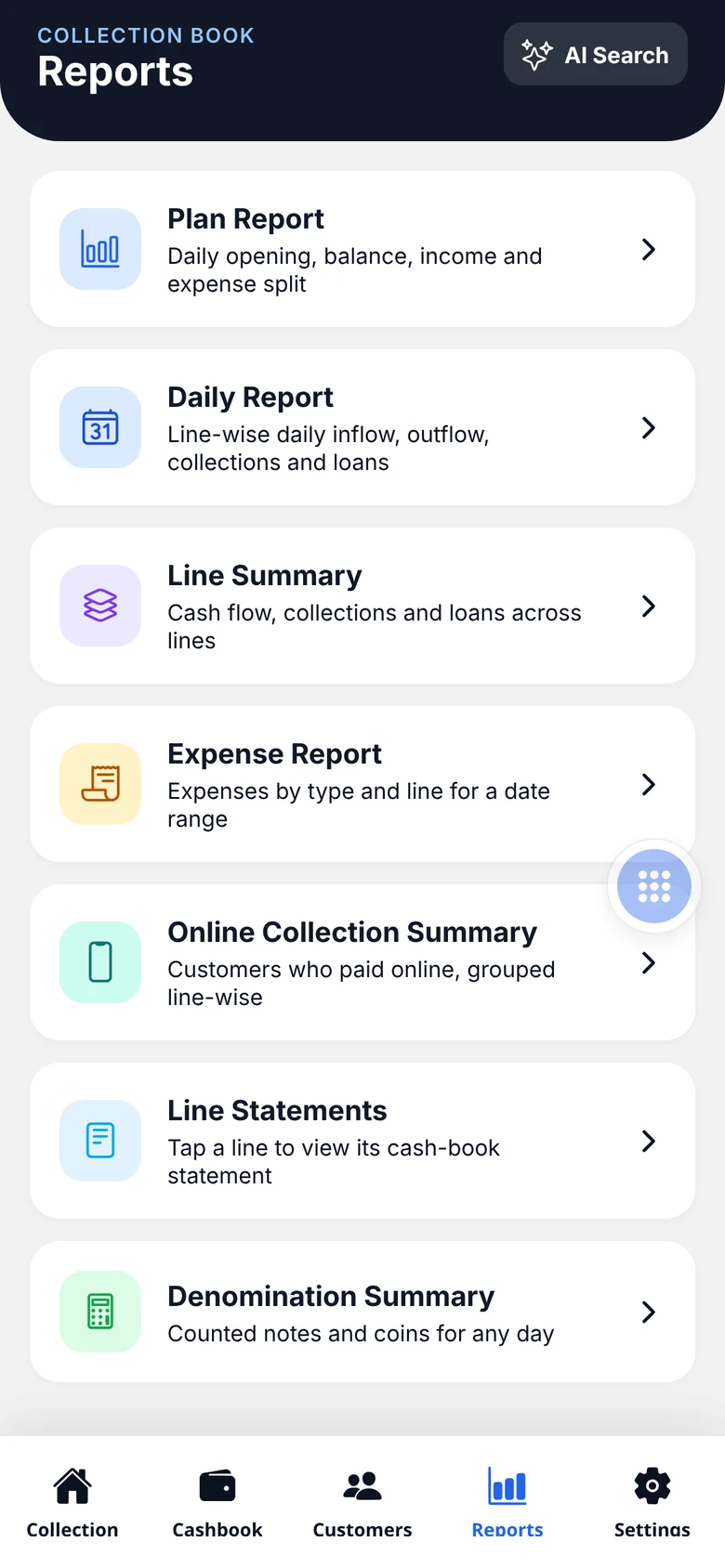
Reports that answer questions

Plan, daily, line summary, expense and online-collection reports, line statements and denomination summaries — ready on the phone.

  • Line-wise statements
  • Expense by type and line
  • Denomination summary
Reports menu in the mobile app

app.collectionbook.in

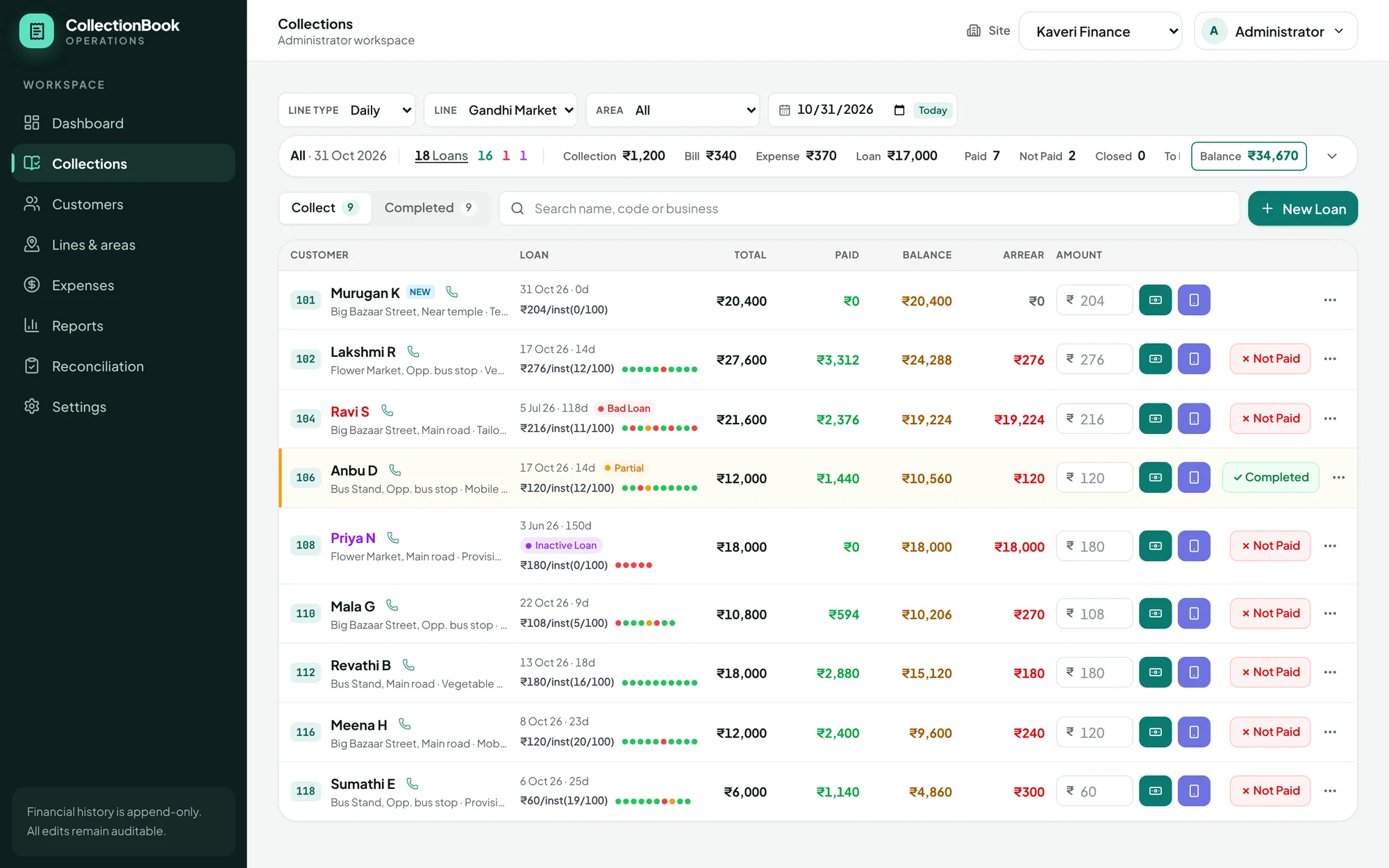
Run the business from your desk

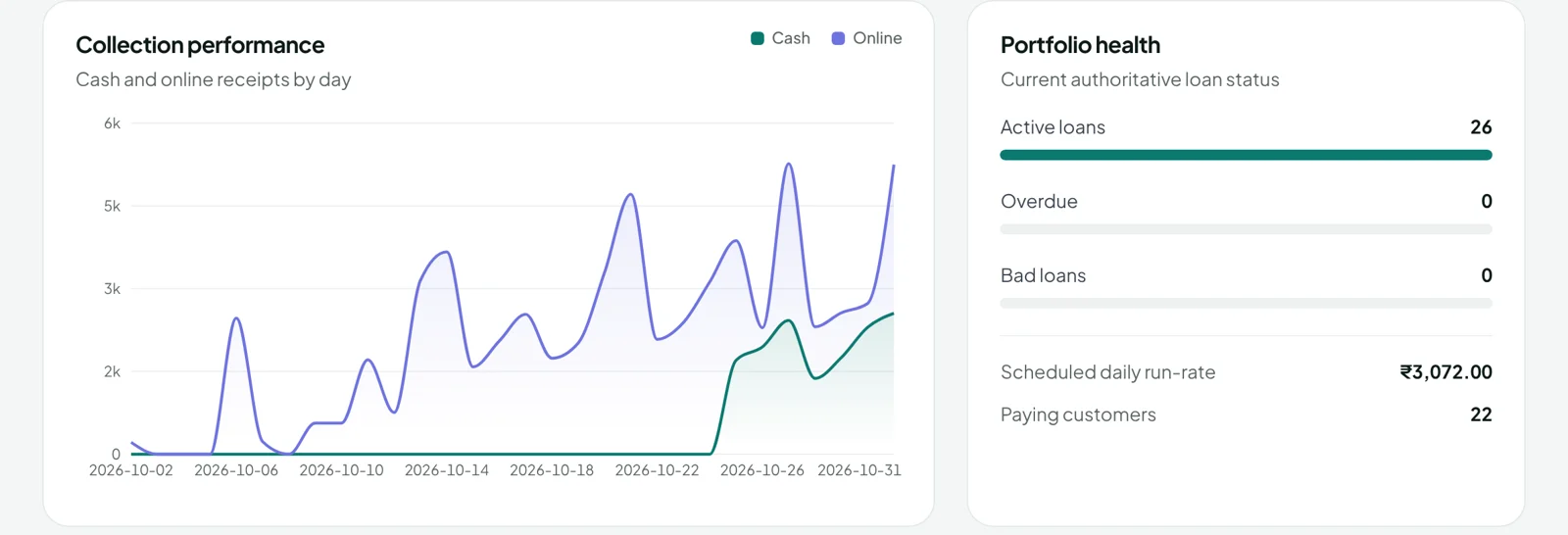
The same books on a bigger screen. Record and correct entries from a compact collection list, watch daily trends and manage lines, customers, staff and reports.

  • Same data as the mobile app, live
  • Role-based staff permissions
  • Every change kept in the audit trail
Open the web app
CollectionBook web app — collection list

6 languages

Speaks your agents’ language

Every screen of the mobile app is available in English, Tamil, Telugu, Hindi, Malayalam and Kannada. Each person picks their own language — the numbers stay the same.

Collection workspace on the CollectionBook mobile app — English

Built for money that has to add up

Append-only history

Financial entries are never silently overwritten; every edit is audited.

Day locks

Older cash and online days close automatically, so settled books stay settled.

Permissions per role

Decide who can collect, edit, close loans or see balances.

Secure sessions

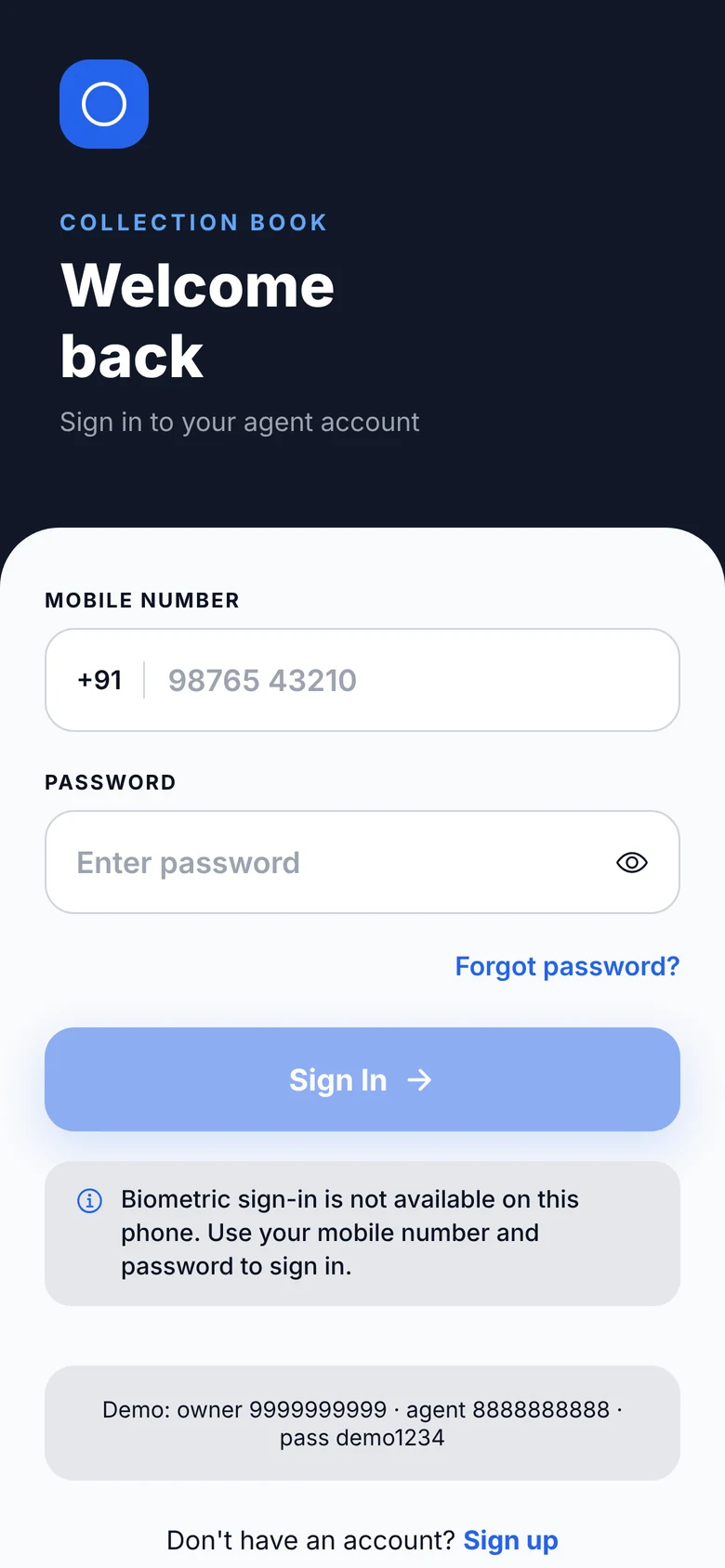
Mobile number and email verified at sign-up; sessions in secure cookies.

Get started

Up and collecting in three steps

  1. 1

    Create your account

    Sign up as the owner and verify your mobile number and email.

  2. 2

    Set up your lines

    Add daily or weekly lines, areas and customers — or import them from a sheet.

  3. 3

    Start collecting

    Give agents the app. Entries reach your cash book as they are made.

Ready to put the paper ledger away?

Create your owner account in a couple of minutes.